Affiliate disclosure: some links on this page may be referral links. If you buy through one, this site may earn a commission at no extra cost to you. Prices and plan details were taken from Carrd's own pages in September 2026 and can change.
Most of what you will read in a Carrd review says the same two things: it is cheap and easy, and it only does one page, so "upgrade to Wix or Squarespace when you grow." The first half is right. The second half treats the one-page rule as a defect you put up with for the price. I think that gets Carrd backwards. The one-page rule is where the price comes from, and it is also why the sites are quick. Once you see it that way, the buying decision gets simpler and a little harsher.
Carrd review, part one: what does $19 a year actually buy?
Pro Standard, which is the cheapest tier that publishes to a domain you own. Carrd's own pricing page shows four levels, and the tier most people need is not the one at the top of the "from" price.
| Plan | Price | Sites | Custom domain | Forms | Widgets and embeds | Extras |
|---|---|---|---|---|---|---|
| Basic (free) | $0 | 3 | No | No | No | 50 elements per site, Carrd branding |
| Pro Lite | $9 / year | 3 | No (Carrd URLs only) | No | No | Unlimited elements, no branding, 16 MB images, 64 MB video |
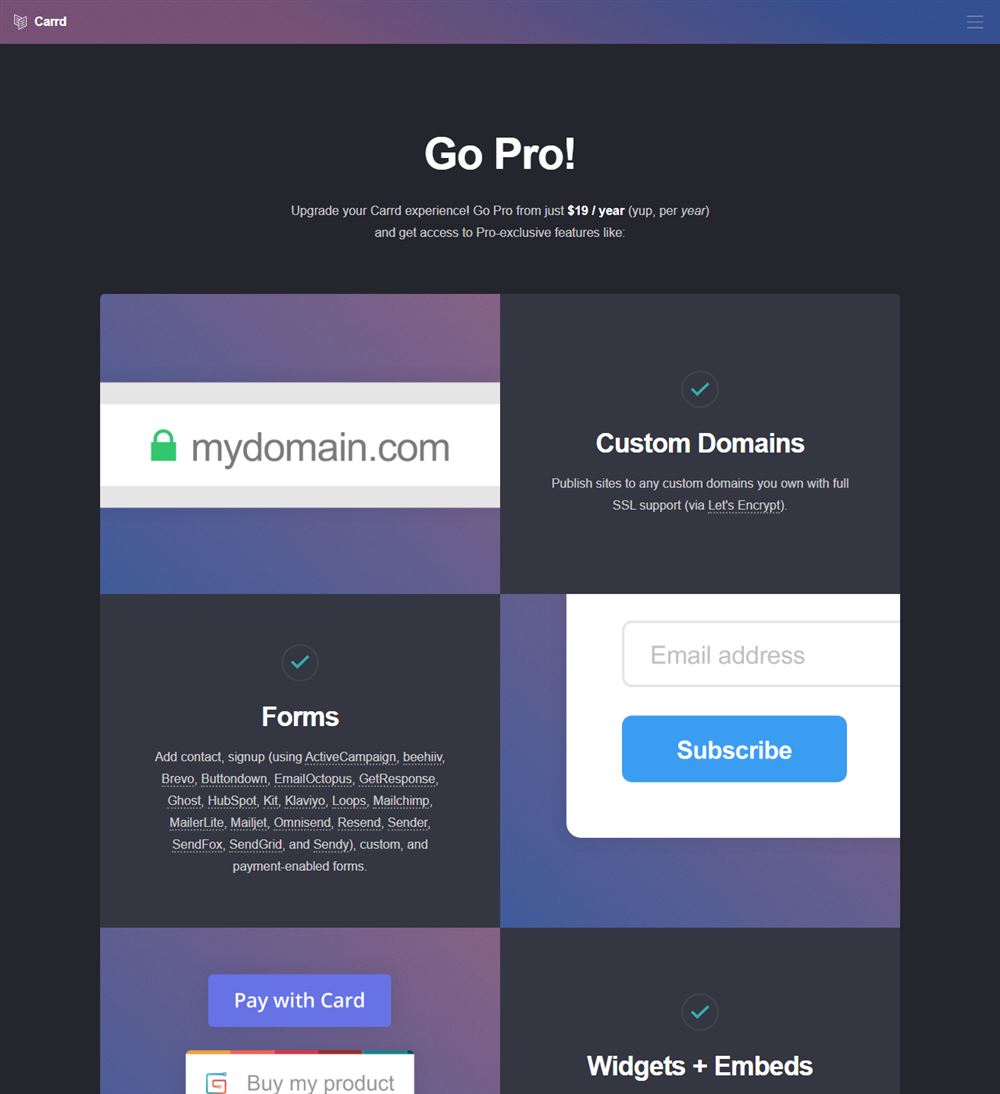
| Pro Standard | $19 / year | 10 | Yes, with SSL | Contact and signup | Stripe, PayPal, Gumroad, Typeform and others | Analytics (Google Analytics, Plausible, Matomo), meta tags |
| Pro Plus | $49 / year | 25 | Yes, with SSL | Custom forms with Zapier, Make, n8n, Airtable | Yes | Password protection, redirects, variables, site files, framing, canonical URL |
Three things in that table decide most purchases. First, Pro Lite does not include custom domains. Carrd's plan documentation describes Lite as the tier for users who do not use custom domains, and the "premium URL" it offers is still a Carrd address. If you own a domain, the $9 tier is not your tier. Second, forms and widgets are also gated at Standard, so a landing page that needs a signup box or a Stripe button starts at $19 regardless. Third, canonical URL control and redirects live in Pro Plus at $49. That matters if you are moving an existing page onto Carrd and want old links to keep working.
The number that does not appear on the pricing page is the one you should read before paying. Carrd's Terms of Use say that Carrd "is not required to provide a refund for any reason". Carrd offers a 7-day Pro trial, and the trial is the refund policy in practice: test your domain, your form integrations and your embeds inside those seven days, because after that the money is spent.
The last cost is the domain itself, which Carrd does not sell. A .com at Porkbun was $11.08 a year when I checked in September 2026, so a realistic first year on your own domain is about $30. Squarespace lists its entry plan at about $19 per month as of September 2026 (that figure moves; check the current one), so the gap is not a discount, it is a different category of spending: Carrd charges per year roughly what Squarespace charges per month.
Why is Carrd so cheap?
Because of what it refuses to do, and that is documented by the person who built it. In "Carrd: The Making Of", founder AJ describes the output of the builder directly:
"Each site would be, when generated, simply a collection of static HTML and CSS files with no server-side scripts or code."
A static file needs no database, no application server and no per-visitor computation. Serving it is close to the cheapest thing a hosting company can do. The other half of the cost structure is the team. The same write-up says that limiting Carrd's focus from the start "was ultimately the thing that made it feasible for one person to build something on this scale." Carrd has since taken outside funding and, according to a December 2021 Indie Hackers post, had passed $1M in annual recurring revenue and powered more than 3.3 million sites by the end of 2021. But the product still carries the shape of the original decision: one page, static output, yearly billing so customers are not managing yet another monthly subscription.
That is the part the "cheap but limited" framing misses. The limit and the price are the same fact.
Can a Carrd site have more than one page?
No, and this is the section that should decide whether you keep reading. Carrd builds exactly one page per site. What it offers instead is sections. The documentation is careful about the wording: sections let you divide a site into named regions "that can be linked to and switched between", and they exist "to simulate the effect of having multiple pages on a one-page site".
Simulate is the right verb. To a visitor clicking your menu, a section switch looks like a page change. To a search engine, your site is still one URL with one title and one meta description. You cannot rank an "about" section for one query and a "services" section for another; there is one document, and it competes for one set of terms. You also cannot run a blog, because a blog is a list of pages. Carrd's own feature list does not include one, and the Pro tiers add forms, embeds and domain control rather than content types.
So the verdict is simple. If your site is a portfolio, a product landing page, a link-in-bio, an event page, a waitlist or a personal card, one page is the correct shape and Carrd's constraint costs you nothing. If you already know you will need separate URLs for separate topics, do not start here on the theory that you will upgrade later. There is no later inside Carrd. Leaving means rebuilding on a different builder, and you will have paid twice for the same site.
How fast is a Carrd site?
Fast enough that the difference from mainstream builders shows up before you look at the numbers. I ran Lighthouse 12 (mobile profile, headless Chrome) against three of Carrd's official template demos, three Squarespace template demos and three Wix template demos, all in one sitting on the same connection on September 12, 2026. One caveat first: that connection goes through a tunnel that adds latency, so the absolute seconds below are slower than a typical U.S. phone would see. Compare the rows to each other, not to your own site.
| Builder | Template demo | Performance score | Largest Contentful Paint | Total Blocking Time | Page weight | Requests |
|---|---|---|---|---|---|---|
| Carrd | Designer Portfolio | 74 | 4.0 s | 0 ms | 289 KB | 12 |
| Carrd | Freelancer Portfolio | 73 | 3.0 s | 0 ms | 314 KB | 16 |
| Carrd | Simple Creative Portfolio | 95 | 1.5 s | 50 ms | 115 KB | 7 |
| Squarespace | Bailard | 46 | 6.8 s | 650 ms | 1.95 MB | 53 |
| Squarespace | Clarkson | 43 | 7.6 s | 620 ms | 2.54 MB | 64 |
| Squarespace | Hester | 38 | 5.9 s | 1,000 ms | 1.78 MB | 72 |
| Wix | Hugo Bell | 58 | 5.5 s | 430 ms | 1.98 MB | 249 |
| Wix | Aurelia Finch | 50 | 7.3 s | 490 ms | 2.26 MB | 272 |
| Wix | Sapir Roche | 71 | 2.1 s | 770 ms | 2.02 MB | 263 |
The pattern is not subtle. The heaviest Carrd template is a sixth the weight of the lightest Squarespace or Wix template, and two of the three Carrd pages produced zero main-thread blocking, which is what you get when there is no application framework to boot. Wix's demos loaded 249 to 272 requests each; Carrd's loaded 7 to 16. One Wix template (Sapir Roche) posted a quick LCP, so mainstream builders can paint fast when the template is disciplined, but even that page carried 2 MB and 770 ms of blocking time.
Two fairness notes. These are stock templates, and a Carrd user who uploads a 16 MB hero image will bury every advantage in this table. And Lighthouse scores move between runs; treat the gap as the finding, not the individual digits.
What you give up
The list is short, and each item is a verdict rather than a nuisance.
- No blog, no content pages. One page means no archive of posts and no per-topic URLs. If publishing is part of the plan, Carrd is not the plan.
- No native store. Payments arrive through widgets (Stripe, PayPal, Gumroad) on Pro Standard and up. That is fine for one product or a tip jar. It is not a catalog, a cart or inventory.
- SEO controls are tiered. Meta tags come with Pro Standard; canonical URL and redirects wait until Pro Plus at $49. On a one-page site there is less to control, but if you are replacing an old page, budget for Plus.
- No official export that I could find. Carrd's documentation describes site transfers between Carrd accounts, but I did not find an official feature for exporting a site's files to host elsewhere. Plan on rebuilding, not moving, if you leave.
- Design freedom is real but bounded. The Pro tiers allow custom code, embedded scripts and per-element styling, so a determined user can go far. The frame you are working inside is still a single vertical page built from Carrd's element types.
Bandwidth is the one limit I cannot tell you about. Neither the documentation nor the Terms of Use publish a traffic cap or a fair-use figure, so I am not going to claim the hosting is unlimited or that it is capped. It is unpublished.
Carrd review verdict: who should build on it, and who should not
Build on Carrd if you are one of these three. A freelancer or creative who needs a portfolio with a contact form and nothing else; Pro Standard's ten-site allowance also means you can host a page per client project on the same $19. A founder collecting emails for something that does not exist yet; a waitlist is the purest one-page site there is, and the signup form integrations cover the common email tools. Anyone who currently pays a link-in-bio service monthly; a Carrd page on your own domain does the same job for less than most of those services charge in a quarter.
Do not build on Carrd if you plan to blog, if you sell more than a handful of products, or if you are choosing it as a placeholder until the "real" site. The first two are hard limits. The third is the expensive mistake, because it feels prudent and ends with two builds. If you are in that third group, our guide to Squarespace hosting alternatives and the roundup of hosts that bundle a website builder cover multi-page options in the same price neighborhood, and if Framer is the other tab you have open, Carrd vs Framer settles that one by URL count.
FAQ
Is Carrd worth it?
Yes, if your site is a one-page site and you buy Pro Standard ($19 a year) rather than Pro Lite, which cannot use a custom domain.
Can you build a multi-page website on Carrd?
Not in the sense search engines or visitors mean. Carrd's documentation says sections exist to simulate the effect of having multiple pages on a one-page site. In practice you add a Section Break element, give each section a name, and link to it with a hash, so your navigation points to #about or #work instead of a separate URL. Visitors get something that feels like page changes; Google gets one URL with one title. If you need separate URLs for separate topics, that is the signal to pick a different builder rather than to stretch this one.
What is the difference between Carrd Pro Lite and Pro Standard?
Custom domains, forms, and widgets. Pro Lite ($9 a year, 3 sites) removes Carrd branding and lifts the element limit but publishes only to Carrd's own URLs. Pro Standard ($19 a year, 10 sites) adds your own domain with SSL, contact and signup forms, and embeds such as Stripe, PayPal and Gumroad.
Does Carrd have a free plan?
Yes. The free Basic plan allows three sites per account, limited to 50 elements per site, published on a Carrd subdomain with Carrd branding in the footer.
Does Carrd offer refunds?
Do not count on one. Carrd's Terms of Use state that Carrd is not required to provide a refund for any reason. Use the 7-day Pro trial to test forms, your domain and your embeds before paying.
The first-year math, and the only question that matters
Pro Standard at $19, a .com at roughly $11, and nothing else: about $30 for a year of a site on your own domain that loads in a few hundred kilobytes. That is the deal this Carrd review comes down to, and inside its category nothing I have measured beats it. The category is the catch. Before you pay, write down every URL your site will need in twelve months. If the list has one line, buy Carrd and stop shopping. If it has two, you have already answered the question, and the $19 you save today is the first half of a bill you will pay twice.
Sources
- Carrd home page (free plan, $19 Pro pricing, 7-day trial)
- Carrd Pro plans and prices
- Carrd documentation: Pro plans (custom domain by tier, file limits)
- Carrd documentation: element limits
- Carrd documentation: using sections
- Carrd Terms of Use (refunds)
- Carrd: The Making Of (static output, one-person origin, yearly billing)
- Indie Hackers, December 2021 (ARR and site count as of 2021)
- Porkbun .com pricing (checked September 2026)
- Lighthouse 12 runs, September 12, 2026, on official template demos from carrd.co, squarespace.com and wix.com